
Comparing JPEG, PNG and WebP for Ecommerce Product Images
For ecommerce product images, JPEG commonly fits opaque photographs, while PNG and WebP support alpha transparency; PNG uses lossless compression, and WebP can be encoded with lossy or lossless compression. Choose the format that meets the image’s transparency, compression, file-size and browser-delivery requirements, because more than one format can be valid.
JPEG, PNG or WebP decision assistant
Use the image requirements below to narrow the formats that remain suitable. The result identifies eligible options and explains the trade-off; it does not force a single winner when several formats can satisfy the same requirements.
Choose all four criteria, then show the eligible formats.
Compare actual exports at the required pixel dimensions: the file extension alone does not determine visible quality or file size.
Format choice is governed by photographic content, transparency needs, compression behaviour, actual export file size and browser support. Encoding settings and source-image complexity can change both visible quality and transferred bytes.
Image format does not determine capture quality, pixel dimensions, editing quality or compliance with marketplace image requirements; those are separate production and publishing factors.
Table of Contents
How JPEG, PNG and WebP Differ for Ecommerce Product Images
JPEG, PNG and WebP differ across the same practical criteria: compression, transparency, photographic suitability, file size and browser delivery.
JPEG used for web product images is normally encoded lossily and is commonly suited to photographic product imagery, while PNG uses lossless compression and supports alpha transparency for assets that need it.
WebP supports both lossy and lossless compression as well as alpha transparency, giving it a different set of delivery trade-offs.
These capabilities affect suitability, but they do not make one format a universal choice for ecommerce product images.
The comparison below applies the same attributes to all three formats so their ecommerce implications can be evaluated consistently.
File-format choice is one part of the broader ecommerce product photography context; capture and production decisions remain separate from this format comparison.
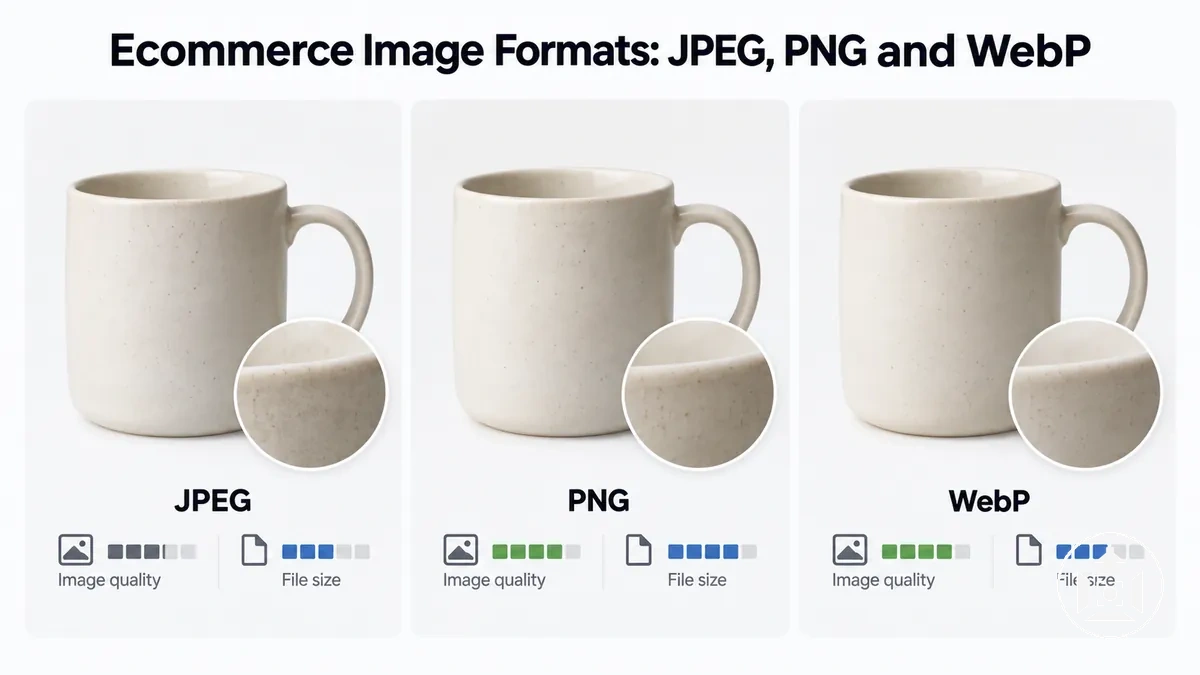
The accompanying image uses the same product-image subject across JPEG, PNG and WebP to illustrate the formats as parallel options, while the table organizes their capabilities and practical fit.

| Format | Compression | Transparency | Typical Ecommerce Fit | File-Size Tendency | Browser Delivery |
|---|---|---|---|---|---|
| JPEG | Lossy | No alpha transparency | Photographic product images where transparency is not required | Can be compact for photographic content; affected by quality settings and source image | Established web-image format with broad delivery compatibility |
| PNG | Lossless | Supports alpha transparency | Product assets needing transparency or lossless raster detail | Can produce comparatively large files for photo-heavy content | Established web-image format with broad delivery compatibility |
| WebP | Lossy or lossless | Supports transparency | Web-delivered product images needing flexible compression or transparency | Determined by encoding mode, settings and source image | Suitability should be verified against the target browser environment |
The ecommerce implication is that JPEG, PNG and WebP should be judged against the same requirements rather than ranked in isolation.
Photographic content, transparency requirements, compression mode, expected file-size behaviour and the target browser environment determine which capability set fits a particular product image.
JPEG for Photographic Product Images
JPEG is a raster image format commonly suited to photographic product images with continuous-tone detail when compact web delivery matters and transparency is not required.
JPEG used for ordinary web delivery is normally encoded with lossy compression, allowing encoding settings to trade file size against image quality, while standard JPEG output remains opaque and does not support alpha transparency.
JPEG also has broad compatibility across common web and image-viewing environments, making it practical for photographic ecommerce imagery.
The image below illustrates the smooth tonal gradients and textured detail typical of the photographic content for which JPEG is commonly used.
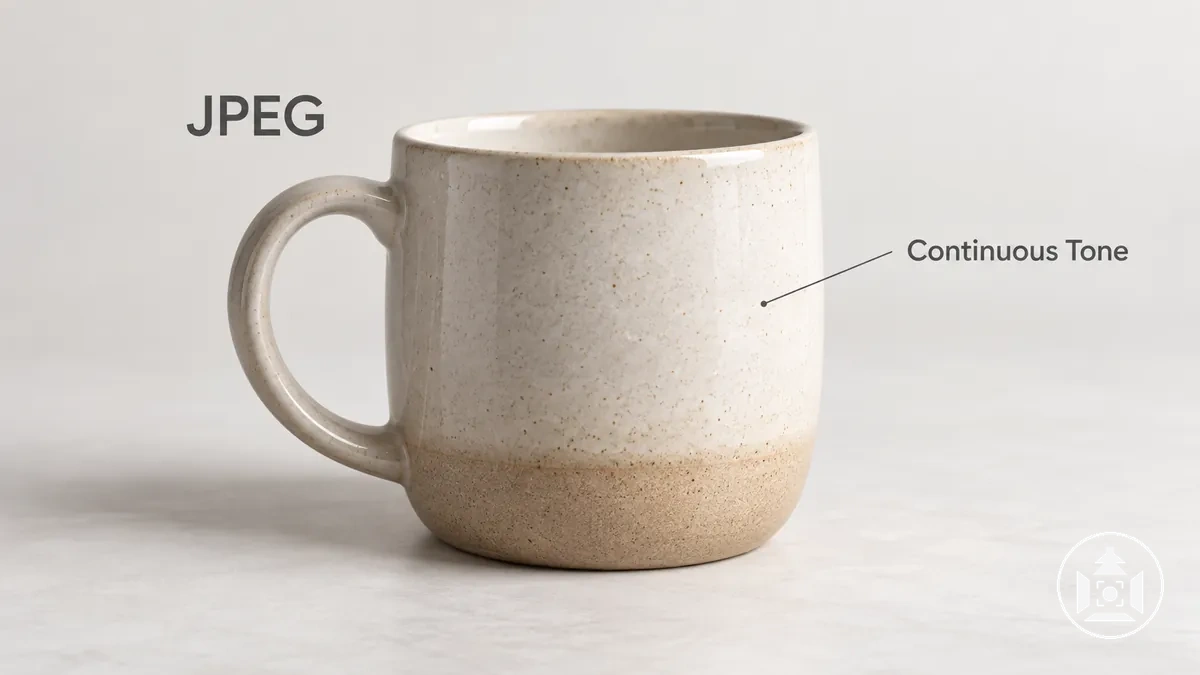
A product photo with smooth colour transitions, lighting gradients and textured surfaces is a typical JPEG use case because this continuous-tone content aligns with JPEG compression.
For example, an opaque studio photograph of a product against a solid background can use JPEG when reducing file size is useful and some lossy compression is acceptable.
JPEG becomes less suitable when the image requires transparency or lossless preservation of raster data.
PNG for Lossless Images and Transparency
PNG is a raster format that uses lossless compression, preserving image data rather than discarding it during compression, which suits ecommerce assets where sharp graphic detail needs to remain intact.
PNG supports alpha transparency, so individual pixels can be fully opaque, fully transparent or partially transparent when an alpha channel is present.
This makes PNG useful for cut-out product assets that need transparent pixels around crisp product edges.
The image below illustrates actual alpha transparency around a cut-out product rather than a photographed white background.
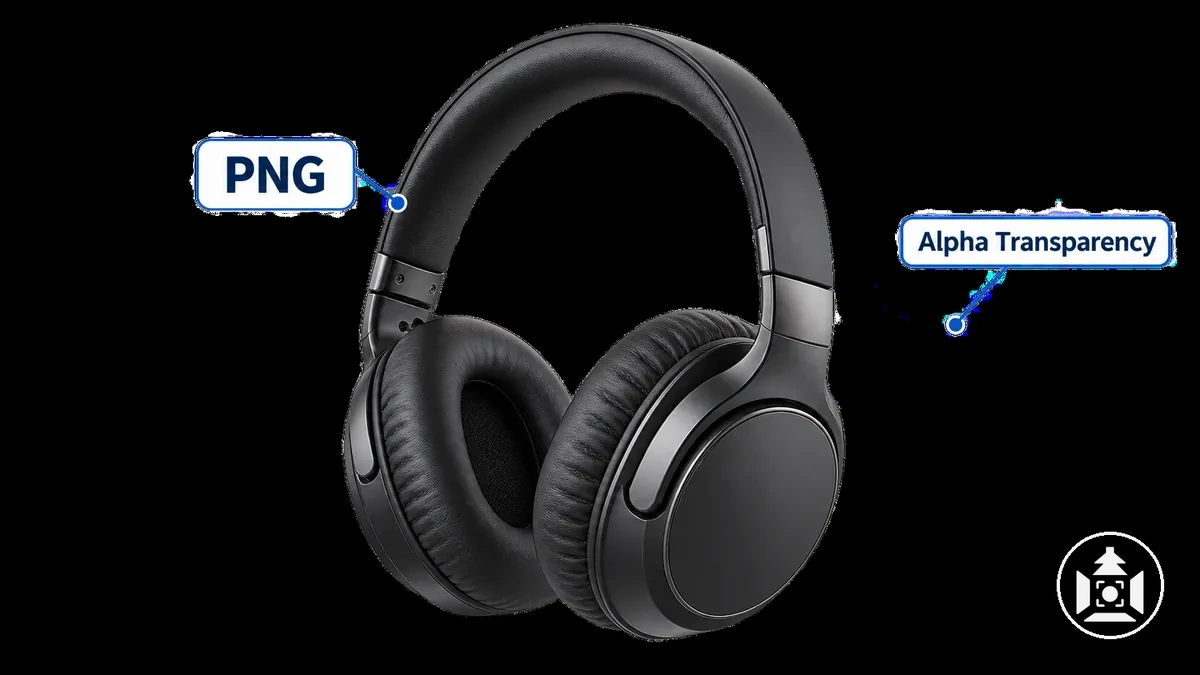
PNG can also preserve sharp edges, text and graphic detail effectively, while photo-heavy photographic images can produce a comparatively large file size because lossless compression retains image data that a lossy photographic format may discard.
For example, a cut-out product graphic with crisp edges and transparent surroundings can suit PNG, whereas a detailed photographic product image may make file size a more significant delivery consideration.
Alpha transparency is a PNG capability, not a property of every PNG file, so a PNG can also contain only opaque pixels.
WebP for Compressed Ecommerce Images
WebP is a web-oriented raster format that supports both lossy and lossless compression, so its behaviour depends on the encoding mode used for the file.
WebP also supports transparency, including alpha information for transparent or partially transparent pixels.
These capabilities allow WebP to represent photographic ecommerce images as well as assets that require transparency.
The image below organizes these supported modes and capabilities without implying a fixed file-size or image-quality advantage.
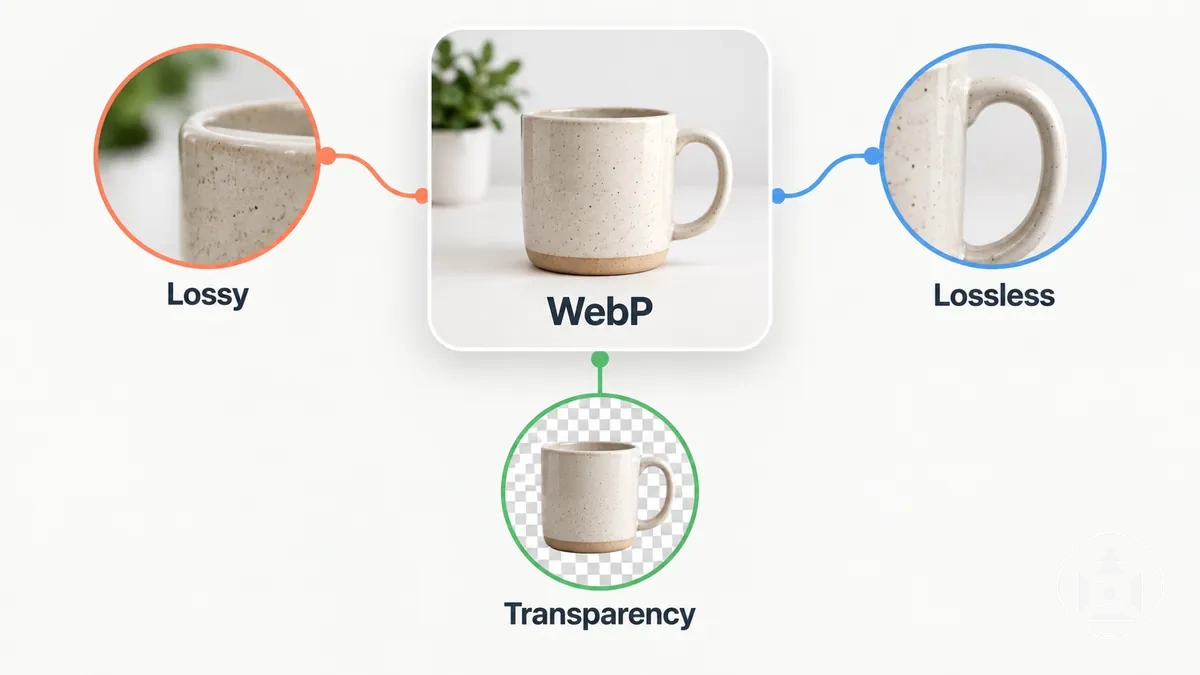
For ecommerce images, the chosen encoding mode, encoder settings and source content influence the resulting file size and visible quality, so the WebP extension alone does not determine either outcome.
Browser support is also a delivery condition that should be considered for the intended environment, but WebP suitability ultimately depends on whether its encoding capabilities and resulting output fit that specific image and delivery context.
Image Quality, Compression and File Size Trade-offs by Format
Image format and encoding settings can change both file size and visible image quality for ecommerce product imagery, but the outcome depends on the source image and the compression choices applied.
Lossy compression can reduce transferred bytes by discarding image information, with stronger compression potentially introducing visible artifacts, while lossless compression retains encoded image data but does not guarantee the smallest file.
Source-image complexity, including texture and tonal variation, also affects the resulting file size and how compression changes visible detail.
A bigger file therefore does not necessarily mean better visible quality.
The comparison isolates format-related trade-offs across compression mode, typical file-size tendency, visible-quality risk and suitable source-image characteristics while keeping pixel dimensions and resolution requirements outside the comparison.
The accompanying image illustrates how JPEG, PNG and WebP can produce different file-size and visible-detail outcomes as encoding settings change, without assigning fixed savings or a universal quality ranking.

| Format | Compression Mode | Typical File-Size Tendency | Visible-Quality Risk | Best-Fit Image Characteristics |
|---|---|---|---|---|
| JPEG | Lossy | Can be compact for photographic content; outcome changes with encoding settings and source complexity | Visible artifacts or detail loss can increase as lossy compression becomes stronger | Continuous-tone photographic product images where some lossy compression is acceptable |
| PNG | Lossless | Can be comparatively large for complex photographic content because image data is retained losslessly | No lossy-compression artifacts from PNG encoding; visible quality still depends on the source image | Images needing lossless raster detail, sharp edges or transparency |
| WebP | Lossy or lossless | Changes with encoding mode, encoder settings and source-image complexity | Lossy mode may introduce artifacts; lossless mode avoids lossy-compression artifacts | Photographic or transparent web images where the selected encoding mode suits the content |
These trade-offs concern format and compression rather than pixel dimensions or resolution, which are separate ecommerce image requirements.
For example, two JPEG files made from the same source image can differ in file size and visible artifacts when their encoding settings differ, while changing pixel dimensions alters another variable entirely.
The practical result is that file size should be assessed alongside visible detail, artifacts, source-image characteristics and encoding conditions.
A larger file does not, by itself, establish that an ecommerce product image will look better.
Lossy and Lossless Compression in Product Images
Lossy compression discards some image data during encoding to create smaller-file potential, while lossless compression preserves the data needed to reconstruct the encoded image without that compression-related loss.
With lossy compression, the amount and type of discarded data depend on the encoding settings and image content, so visible artifacts can increase as compression becomes more aggressive without being noticeable in every product image.
Lossless compression avoids lossy-compression artifacts, but preserving the encoded data can result in a different file-size trade-off rather than an automatic image-quality advantage for every ecommerce use.
JPEG commonly uses lossy compression, PNG uses lossless compression, and WebP supports both lossy and lossless compression modes.
The suitable mode depends on the product image's detail and texture, whether image data needs to be retained for reuse, whether transparency is required, and how much visible artifacting is acceptable for the intended delivery context.
A photographic product image may tolerate lossy compression without objectionable visible degradation at an appropriate encoding setting, while an asset requiring lossless data preservation or transparency can favour a lossless-capable mode.
These are compression-mode considerations rather than a universal ranking of JPEG, PNG and WebP.
How Compression Affects Visible Detail and Image Quality
Stronger compression can reduce visible detail or make compression artifacts more noticeable in a product image, but the result depends on the source content and encoding settings.
Fine texture and subtle tonal variation may lose definition as compression becomes more aggressive, while simpler areas can show fewer obvious changes under the same general compression conditions.
The effect on image quality is therefore conditional rather than an indication that compression always produces visible degradation.
Compression artifacts can appear as softened fine texture, degraded edges, block-like patterns or banding in gradients, although these artifacts do not necessarily appear together.
Detailed surfaces can reveal lost texture, edges can show ringing or reduced definition, and smooth gradients can expose banding when the encoding does not preserve enough tonal variation.
A product image containing fine fabric texture and a smooth background gradient, for example, may reveal compression changes in those areas sooner than a large, visually simple flat region.
Compression artifacts are distinct from quality problems introduced by focus, resizing, sharpening or colour-management processes, so visible blur or colour inaccuracy does not by itself identify compression as the cause.
Broader causes affecting image quality and blurry uploads should therefore be assessed separately when the visible problem does not correspond to compression-related artifacts.
How Image Format and File Size Affect Ecommerce Page Speed
Image format can affect ecommerce page speed mainly through compression efficiency, file size and the number of transferred bytes.
Format and encoding settings influence how much image data must be downloaded, and a smaller transferred image file can reduce loading time when network and delivery conditions are otherwise comparable.
The format is therefore one contributor to image delivery performance rather than the sole determinant of total page speed.
Pixel dimensions, responsive images, caching, network conditions and implementation choices can change how many bytes are requested and how quickly those bytes reach the browser.
Responsive delivery may serve a more appropriately sized image for the display context, while caching can reduce the need to transfer the same resource again under applicable cache conditions.
For example, if two equivalent product images have the same pixel dimensions and delivery conditions but one export achieves better compression efficiency with acceptable image quality, its smaller file size means fewer transferred bytes and can reduce its download-time contribution.
Changing the image format or file extension alone does not guarantee a faster ecommerce page.
Transparency Requirements for Ecommerce Product Images
Transparency matters when an ecommerce product asset must reveal or adapt to content behind the product rather than remain on a fixed opaque background.
Alpha transparency provides transparent pixels that allow underlying backgrounds or layout elements to show through, which can support compositing and reuse across changing backgrounds.
If the downstream presentation never needs underlying content to remain visible around or through the product asset, transparency is not required as an image format criterion.
The requirement therefore comes from the intended use of the asset, not from ecommerce imagery by default.
The practical split is transparency required when the product must interact with underlying content, versus transparency not required when the complete image can remain opaque.
Evaluate the intended use before restricting image format selection to formats with transparency capability:
- Compositing over changing backgrounds: transparency is required when the same product asset must be placed over different backgrounds while allowing those backgrounds to remain visible around the product.
- Reuse across variable layouts: transparency can be required when a cut-out asset is layered into interface or campaign layouts whose underlying colours or imagery can change.
- Preserving non-rectangular product edges: alpha transparency is useful when pixels outside the product boundary need to remain transparent instead of forming an opaque rectangular background.
- No underlying content needs to show through: transparency is unnecessary when the product image can remain fully opaque in every intended presentation.
Transparent pixels are different from white pixels: a photographed white background remains opaque and covers whatever is placed behind it, whereas alpha transparency allows underlying content to show through.
Transparency is therefore valuable as a format-selection criterion only when the downstream presentation actually requires that capability.
When Product Images Need Transparent Backgrounds
A transparent background becomes useful when a product asset must be composited or reused over variable backgrounds while allowing the underlying content to remain visible.
For example, an isolated cut-out product used across different campaign or interface layouts needs transparent pixels around its non-rectangular edges rather than an opaque background that would cover each layout.
This transparency enables the same product asset to adapt to those backgrounds without carrying a fixed rectangular backdrop.
An ordinary product photograph intended to remain on its existing fixed background can instead remain an opaque image because no underlying content needs to show through.
In that situation, transparency does not add a necessary capability for the intended display.
The requirement changes only when compositing, reuse across variable backgrounds or preservation of non-rectangular edges creates a real downstream need for transparency.
How JPEG, PNG and WebP Handle Transparency
JPEG does not provide standard alpha transparency and remains opaque, while PNG and WebP can support transparent pixels.
This comparison isolates that format capability and its practical implication when a product asset requires transparent areas.
Transparency support does not mean every PNG or WebP file contains transparent pixels; the file must actually use alpha transparency where it is required.
For a cut-out asset, this capability allows transparent areas to reveal underlying content.
- JPEG: Does not support standard alpha transparency, so an opaque JPEG is unsuitable when a product image requires transparent pixels.
- PNG: Supports alpha transparency and can contain transparent pixels, making it suitable for a cut-out product asset when transparency is required.
- WebP: Supports alpha transparency and can contain transparent pixels, making it suitable for a cut-out product asset when transparency is required.
Browser Compatibility of JPEG, PNG and WebP
Browser compatibility is usually straightforward for JPEG and PNG because both have broad, established support across major browsers.
WebP also has broad support in modern browsers, but its delivery compatibility should be checked against the browser and operating-system versions used by the target audience rather than described as universal.
WebP has broad support across modern browser families, while older browser and operating-system combinations can still make fallback delivery relevant.
The comparison below isolates current support breadth, legacy-environment risk and fallback handling.
Compatibility becomes a practical constraint when part of the intended audience may use an environment that cannot render the selected format.
| Format | Current Support Pattern | Legacy Risk | Fallback Consideration |
|---|---|---|---|
| JPEG | Broad, long-established support across major browsers | Low for typical web delivery because JPEG support extends across long-standing browser generations | A separate image-format fallback is generally unnecessary when JPEG is the delivered format |
| PNG | Broad, long-established support across major browsers | Low for typical web delivery because PNG support extends across long-standing browser generations | A separate image-format fallback is generally unnecessary when PNG is the delivered format |
| WebP | Broad support in modern browsers; current support should be verified for the target environment | Greater concern than JPEG or PNG when legacy browser or operating-system combinations remain within the target audience | A JPEG or PNG fallback may be appropriate when the target audience includes legacy environments that do not support WebP |
If the target ecommerce environment supports WebP reliably, browser compatibility does not by itself make JPEG or PNG preferable.
Fallback handling becomes relevant when legacy browsers or older operating-system environments remain part of the intended audience; otherwise, compatibility need not override the other criteria used to select an image format.
Choosing an Image Format for Different Ecommerce Product Image Situations
Image format choice should follow the required attributes of the product image and the conditions in which it will be delivered rather than treating JPEG, PNG or WebP as a universal winner.
Transparency, image content, acceptable compression trade-off, delivery efficiency and browser compatibility can each change which formats remain suitable.
Some situations leave more than one valid option because different formats can satisfy overlapping requirements.
The appropriate choice therefore follows the combination of constraints that matters for the specific product-image situation.
The decision sequence below organizes the main conditions from transparency need through image content, compression tolerance, delivery efficiency and browser environment.
Each step narrows the eligible formats without assuming that one branch is correct for every ecommerce image.
- Identify whether transparency is required: if transparent pixels are necessary for a cut-out asset or compositing over changing backgrounds, PNG and WebP remain eligible while standard JPEG does not provide alpha transparency. If transparency is unnecessary, JPEG, PNG and WebP can remain under consideration.
- Classify the image content: photographic product imagery can suit JPEG or WebP when lossy compression is acceptable, while graphic detail, sharp edges or requirements for lossless preservation can keep PNG or lossless WebP relevant.
- Assess the compression trade-off: if reducing file size through lossy compression is acceptable at the required visible quality, JPEG or lossy WebP can remain suitable; if image data must be retained losslessly, PNG or lossless WebP can remain eligible.
- Confirm delivery efficiency and browser compatibility: compare the resulting file size and delivery conditions, then verify that the intended browser environment supports the selected format. A fallback may be appropriate when legacy-browser requirements make WebP delivery uncertain.
- Choose among the eligible formats: select JPEG, PNG or WebP according to the conditions that remain after transparency, image content, compression trade-off, delivery efficiency and browser compatibility have been evaluated together.
Overlapping requirements can leave more than one valid format, so the final choice should preserve that ambiguity rather than force a single answer.
For example, a photographic product asset that does not need transparency may remain suitable for either JPEG or WebP when both meet the required visible-quality, file-size and delivery conditions.
Format selection ends with choosing the eligible file type; decisions about exporting edited product images belong to the separate editing and export workflow.
The suitable format is the one whose capabilities match the required image attributes and delivery constraints.